
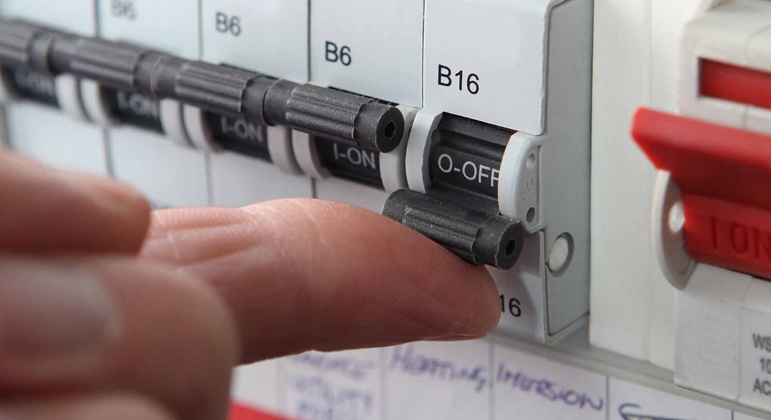
There are various potential causes for a tripping power issue. Among the most common reasons are faulty appliances, overloaded circuits, vermon damage to cables and wiring issues. In most cases, it is recommended to seek the assistance of a professional electrician to diagnose the problem accurately.
However, before calling for help, you can perform a basic troubleshooting process to determine if a specific appliance is the culprit. Follow the steps outlined in our troubleshooting guide below:
Note: If you are a tenant, and the fault is caused by an appliance, your real estate will bill you for the call out. To avoid this, follow our guide below.
Step 1: Test The Safety Switch
Inspect your switchboard to determine if a powerpoint circuit breaker or safety switch is in the off postion. Turn back on the one that has tripped. If it doesn’t trip again, everything should be OK. If it trips again, we recommend following the steps below or call us to investigate the problem.
Step 2: Basic Fault Finding
Unplug anything that is plugged into your powerpoints. Don’t just turn the powerpoint switch off, physically unplug the device or appliance. This includes your fridge, microwave, washing machine, rangehood etc.
Turn your safety switch back on.
If it trips again without anything plugged in, call us immediately, as there will be a problem with either your wiring, a powerpoint or your safety switch.
If it does not trip, it means that one of the devices or appliances is faulty. Start plugging all the items back in to the powerpoints one at a time, leaving a few minutes between each. If the safety switch trips with one of the items, you will have identified the problem.
If the item is a larger appliance, call us as we can assist with either repair or replacement.
1 Comment
A WordPress Commenter
July 2, 2024Hi, this is a comment.
To get started with moderating, editing, and deleting comments, please visit the Comments screen in the dashboard.
Commenter avatars come from Gravatar.